WhatsApp stickers from photos
Make WhatsApp stickers from your photos
WhatsApp stickers are transparent squares that show up big in a chat. Upload a photo, get a clean cutout PNG, and add it to WhatsApp so your own faces and pets become reusable stickers.
Create one free stickerJPG, PNG, WebP, GIF · up to 10 MB · 1 free sticker after a quick Google sign-in
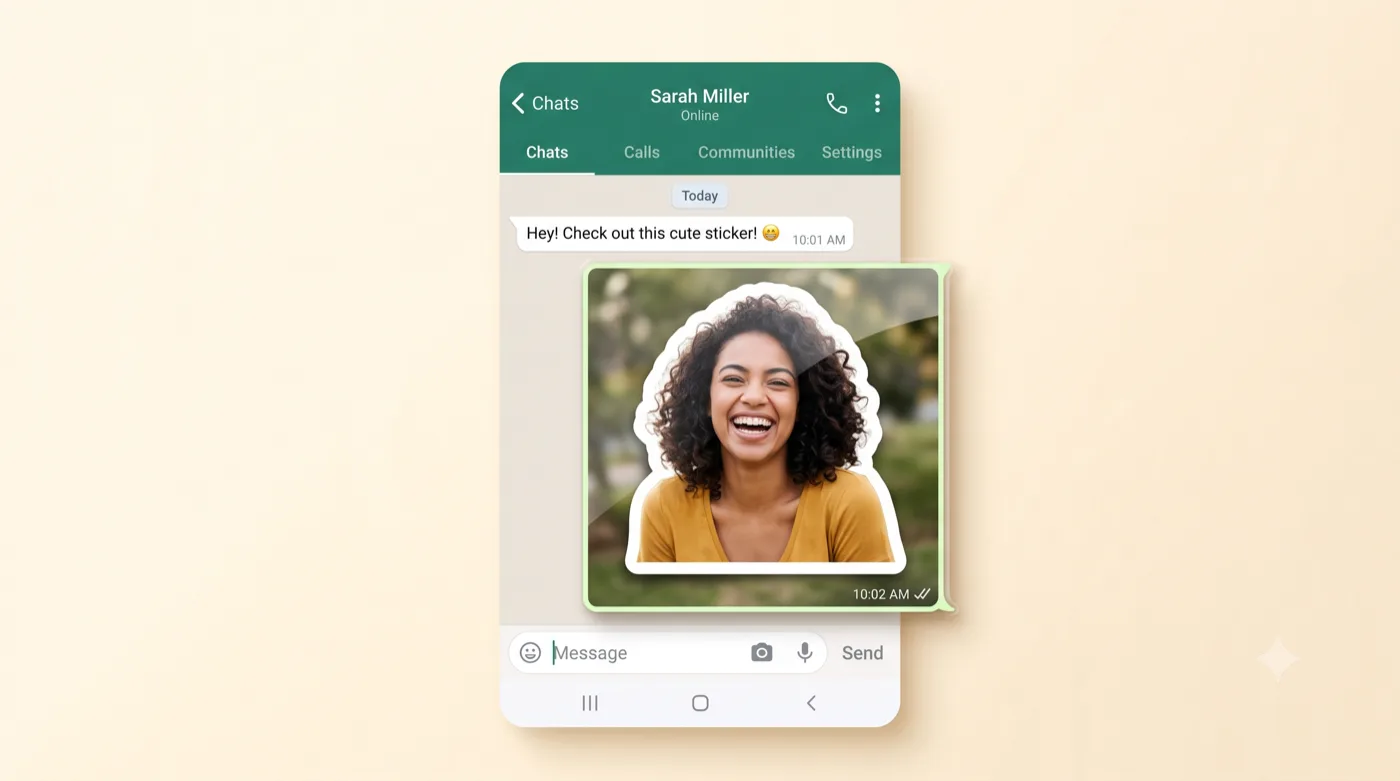
AI-generated example — your own photo produces your own result.
How it works
Three steps to your sticker
Upload a photo
Add a photo of a person or pet, centered with a little room around the subject so it fits a square.
Get a clean 512-ready cutout
Export a transparent PNG that sits comfortably inside WhatsApp’s 512×512 sticker square.
Add it to WhatsApp
Import the PNG into a sticker-pack app to build your own custom WhatsApp pack of three or more.
Get the best result
Tips that actually help
For WhatsApp users who want personal stickers instead of the default packs.
Keep the subject centered
WhatsApp displays stickers on a 512×512 square, so a centered subject with room around it reads best.
Transparent background
Stickers look sharpest with no background box — a clean cutout is exactly what you want here.
Readable at small sizes
A tight crop on the face or subject stays recognizable even when the sticker is small in a busy chat.
Build a pack
WhatsApp sticker packs need at least three stickers, so make a few in one sitting.
Export & format
WhatsApp stickers are 512×512 transparent WebP images added through a sticker-pack app. Export a transparent PNG here, then use your preferred sticker-maker or pack app on Android or iPhone to add it to WhatsApp.
Platform format details are based on official documentation (reviewed July 2026): WhatsApp: creating sticker packs. Platform rules can change — check the source for the latest.
Good to know
Questions about this use case
How do I actually add the sticker to WhatsApp?
WhatsApp adds custom stickers through a sticker-pack app (or the built-in sticker tool on newer versions). Create your transparent PNG here, then import it into that app to build a pack.
What size do WhatsApp stickers need to be?
WhatsApp uses 512×512 pixel transparent images, ideally under about 100KB each. A clean, centered cutout fits that format well.
Can I make stickers of my pet for WhatsApp?
Yes. See the pet photo to sticker guide for tips on getting a clean fur edge.
Ready to try it with your photo?
Sign in with Google and create your first sticker free — one clear photo is all you need to get started.
Related guides