
Image to sticker converterYour photo.Now a sticker.
Turn selfies and pet photos into expressive AI stickers. Download with a transparent background.
Turn your photos into AI stickers.
Download as transparent PNG.
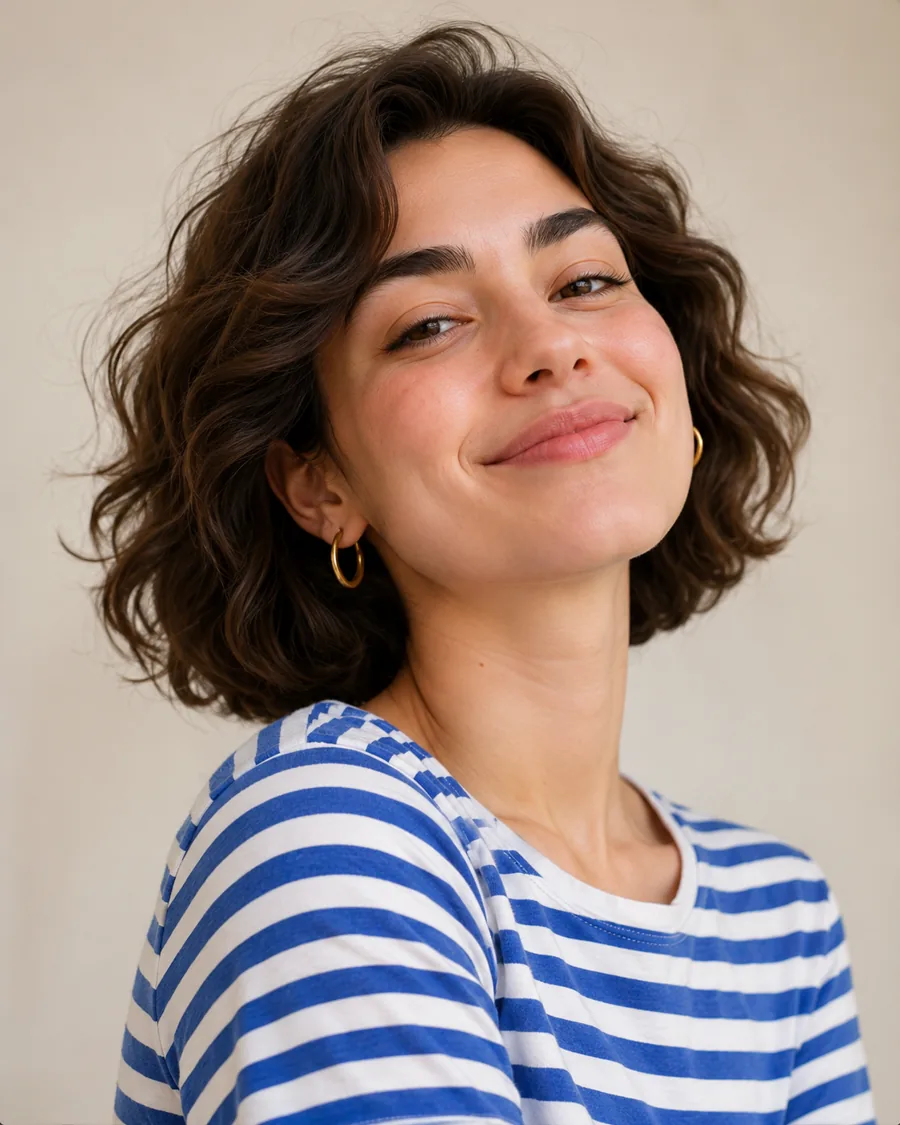
or drag & drop your image
JPG, PNG, WebP, GIF · Max 10 MB
- 1 Upload
- 2 Choose a style
- 3 Download
What is an image to sticker converter?
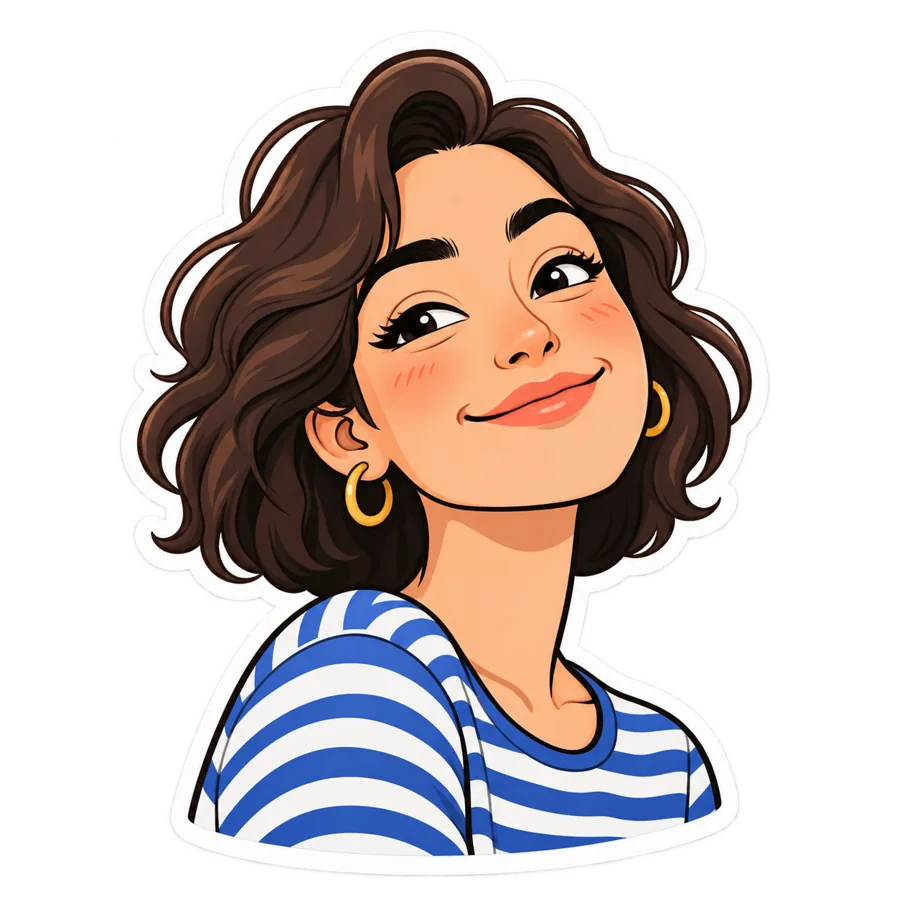
An image to sticker converter turns an ordinary photo into a sticker: the subject is redrawn in a sticker style, cut out from its background, and given a die-cut border. Photo to Sticker does this with AI from one upload. You pick one of 14 styles and download a PNG with a transparent background that you can add to chat apps, print on sticker paper, or cut on a Cricut.
Pick your photo-to-sticker style.
14 styles in 5 groups. Here are four favorites; see them all in the editor.
Illustrative style examples
All 14 photo to sticker styles
Portrait & People
- Cartoon Portrait — Fun cartoon-style portrait for messaging
- Anime Character — Japanese anime style portrait
Pets
- Pet Cartoon — Your dog, cat or other pet as a cartoon sticker
Artistic
- Watercolor — Soft hand-painted watercolor sticker of a person or pet
Travel & Landmarks
- Eiffel Tower Paris — Tourist photo at Eiffel Tower
- Louvre Museum — Tourist photo at Louvre Pyramid
- Golden Gate Bridge — Tourist photo at Golden Gate Bridge
Sticker Packs
- Emoji Expression Pack (4 Stickers) — Transform one portrait into 4 emoji-style expressions
- Emotion Expression Pack (9 Stickers) — Transform one portrait into 9 different emotional expressions
- Reaction Expression Pack (4 Stickers) — Transform one portrait into 4 common reaction expressions
- Daily Moods Pack (9 Stickers) — Transform one portrait into 9 different mood expressions
- Work Status Pack (4 Stickers) — Transform one portrait into 4 work-related status expressions
- Love & Romance Pack (4 Stickers) — Transform one portrait into 4 romantic expressions
- Multi-Style Character Pack (6 Stickers) — Transform one portrait into 6 different character styles and professions
Why use Photo to Sticker to convert photos to stickers
The subject is cut out for you
The AI keeps the person or pet and removes the background, so the PNG has real transparency, not a white box.
A die-cut sticker look
Every style asks for a clean die-cut edge around the subject, the look people expect from a sticker.
Selfies, faces and pets
Portrait styles are written to keep a person recognizable; Pet Cartoon asks the AI to keep the breed, fur colors and markings.
Whole packs from one photo
Pack styles turn one portrait into 4, 6 or 9 expressions in a single image.
High-resolution PNG
The AI is asked for 2K-resolution output, which you can scale down to 512 px for chat apps or use for print.
Private by default
Original photos are deleted 1 hour after processing; results are kept for 6 days for you to download.
Turn yourself or your pet into a sticker
Make a matching sticker pack from one photo
Pack styles put several expressions of the same face in one PNG. Each pack costs the same 2 credits as a single sticker.
Illustrative style examples
How to turn a photo into a sticker
- 01
Upload a photo
Use a selfie, a pet photo, or any photo you like.
- 02
Pick your style
Turn your photo into a sticker with your favorite look.
- 03
Download your PNG
Get a high-quality sticker with a transparent background.
How to get a cleaner, sharper sticker
One clear subject
A single person or pet that fills most of the frame gives the cleanest cutout.
Even light
Soft daylight avoids harsh shadows that blur the edge of hair and fur.
A calm background
A plain wall or floor is easier to remove than a busy scene in similar colors.
Big enough photo
Use at least 256 px on each side (up to 4096 px, 10 MB).
Sticker and profile picture sizes by app
Photo to Sticker gives you a high-resolution transparent PNG, and the result screen can export it in each size below with one click (on your device, no extra credits). Checked on 3 Nov 2026.
| App | Sticker size | Format | Other limits | Source |
|---|---|---|---|---|
| Exactly 512 × 512 px | WebP | Static ≤ 100 KB, animated ≤ 500 KB; 3–30 stickers per pack; 96 × 96 px tray icon (≤ 50 KB) | WhatsApp sticker guide (GitHub) | |
| Telegram | One side exactly 512 px, the other 512 px or less | PNG or WebP | Added through the official @Stickers bot | Telegram sticker docs |
Profile picture sizes
| Platform | Recommended size | Our export |
|---|---|---|
| Instagram / Threads | 320 × 320 | Square PNG on white, 320 px |
| 320 × 320 | Square PNG on white, 320 px | |
| X (Twitter) | 400 × 400 | Square PNG on white, 400 px |
| 400 × 400 | Square PNG on white, 400 px | |
| Bluesky | 400 × 400 | Square PNG on white, 400 px |
| TikTok | 200 × 200 (minimum) | Square PNG on white, 200 px |
| YouTube | 800 × 800 | Square PNG on white, 800 px |
| 165 × 165 | Square PNG on white, 165 px |
Profile picture sizes: Buffer: social media image sizes (May 2026) (third-party guide; the platforms’ own help pages could not be checked).
Photo to Sticker pricing
$29.90 per month
$99.90 per year
150 credits every month on both plans = 75 stickers
2 credits per sticker · failed stickers refunded
Paid plans only. Credits are valid for 30 days. Cancel anytime; refunds within 14 days if no more than 10% of the credits from that charge have been used. See plans · About us
Photo to sticker FAQ
What is Photo to Sticker?
Photo to Sticker is an AI-powered platform that transforms your ordinary photos into creative stickers. Simply upload a photo, choose a style, and get a professional-quality sticker in about a minute or two.
How does the pricing work?
Photo to Sticker is a paid service with one Pro plan: $29.90 a month or $99.90 a year, each including 150 credits a month. Each sticker uses 2 credits, so a month of credits makes 75 stickers.
How many styles are available?
There are 14 sticker styles across 5 groups: Portrait & People, Pets, Artistic, Travel & Landmarks, Sticker Packs. Sticker packs put several expressions in one PNG.
How long does it take to generate a sticker?
Most stickers are generated in about a minute or two. The exact time depends on the style and current load, and you'll see the progress while it runs.
What file formats are supported?
You can upload images in JPEG, PNG, WebP, or GIF format (max 10MB). The output is a high-resolution PNG file with a transparent background, ready for messaging apps, social media, or design projects.
Can I use stickers commercially?
Pro plan subscribers receive a commercial use license for business projects, client work, marketing materials, and merchandise. Please refer to our Terms of Service for detailed license terms.
How long are my stickers stored?
Generated stickers are stored for 6 days, and you can download them anytime within that period from your history. Original photos are deleted 1 hour after processing.
Can I cancel my subscription anytime?
Yes. You can cancel your subscription at any time from your account settings. There are no cancellation fees. Your plan remains active until the end of the current billing period.
Do credits roll over to the next month?
No. Credits refresh monthly and expire after 30 days, so unused credits do not roll over to the next month.
Is my data secure?
All uploads are encrypted in transit. Original images are automatically deleted 1 hour after processing. Your images are processed by third-party AI services to generate and safety-check stickers. Please refer to our Privacy Policy for more details.
Can I use stickers on WhatsApp and Telegram?
Yes. Stickers are exported as PNG files with transparent backgrounds, which you can add to WhatsApp, Telegram, iMessage, Discord, Slack, and other messaging or social platforms (the export menu also makes the 512 × 512 WhatsApp WebP and the 512 px Telegram PNG for you).
What if I'm not satisfied with the result?
You can regenerate with a different style or a different photo. If a generation fails or is blocked by our safety review, the credits are refunded automatically. For anything else, contact us anytime.
How does the photo to sticker converter work?
You upload a photo and pick a style. Your photo is checked for safety, then an AI image model (via KIE) redraws the subject in that sticker style with a transparent background. The result is checked again before it is saved, and you download it as a PNG.
Can I make a whole sticker pack at once?
Yes. Pack styles turn one portrait into 4, 6 or 9 expressions in a single PNG image, for the same 2 credits as one sticker. To use them as separate stickers, crop each expression out of the image.
Is there a free trial?
No. Photo to Sticker is paid only: Pro is $29.90 a month or $99.90 a year. The homepage and each style show illustrative examples so you can see the looks before you subscribe.
Can I make animated stickers or add my own text?
Not at the moment. Stickers are static PNG images, and styles use fixed designs, so you cannot type your own text. Travel styles can include the landmark name as part of the design.
Are the stickers ready to print?
You get a high-resolution PNG with a transparent background, which you can print on sticker paper or use with Print Then Cut on a Cricut. We do not provide separate cut-line files; see our printable and Cricut sticker guides for the steps.
Convert your photo to a sticker now
Upload a photo, pick a style, download your PNG.