Telegram stickers from photos
Make Telegram stickers from your photos
Telegram has one of the best sticker systems, and you can build your own pack from personal photos. Upload a photo, get a transparent cutout, and add it to Telegram with the official @Stickers bot.
Create one free stickerJPG, PNG, WebP, GIF · up to 10 MB · 1 free sticker after a quick Google sign-in
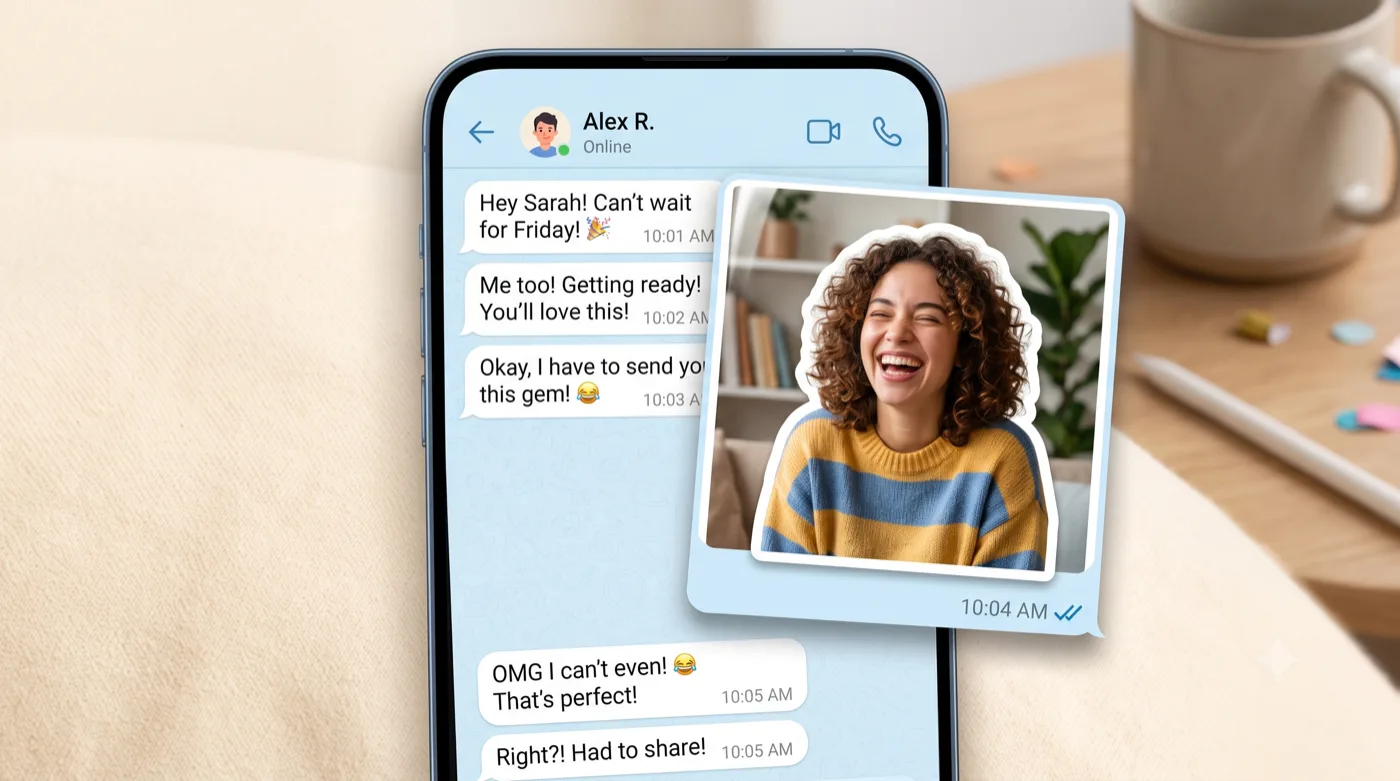
AI-generated example — your own photo produces your own result.
How it works
Three steps to your sticker
Upload your photo
Pick a photo that sits comfortably inside a square frame with clean space around the subject.
Export a transparent cutout
Get a 512-px PNG with crisp, halo-free edges so it looks sharp on any chat background.
Send it to @Stickers
Use Telegram’s official @Stickers bot to create a new pack or add to an existing one.
Get the best result
Tips that actually help
For Telegram users who want a personal sticker pack made from their own photos.
Size for 512 px
Telegram stickers are 512×512, so a subject that sits comfortably in a square with transparent edges works best.
Clean transparent edges
Telegram shows stickers directly on the chat background, so a crisp cutout with no leftover halo looks most professional.
Distinct expressions
Packs are more fun when each sticker has a clearly different pose or expression.
Plan the pack
Decide on 5–10 photos before you start so the pack feels intentional rather than random.
Export & format
Telegram stickers are 512×512 PNG (with one side exactly 512 px) and transparent. Export your transparent PNG here, then send it to the @Stickers bot in Telegram to create or add to your pack.
Platform format details are based on official documentation (reviewed July 2026): Telegram: Stickers documentation. Platform rules can change — check the source for the latest.
Good to know
Questions about this use case
How do I add my sticker to Telegram?
Open a chat with the official @Stickers bot, use /newpack (or /addsticker), and upload your transparent PNG. The bot walks you through naming and emoji.
What format does Telegram require?
A 512×512 pixel PNG with a transparent background, where at least one dimension is exactly 512 px. A clean cutout export fits this directly.
Can other people use my pack?
Yes — Telegram gives every pack a shareable link once it’s created through @Stickers.
Ready to try it with your photo?
Sign in with Google and create your first sticker free — one clear photo is all you need to get started.
Related guides