Selfie stickers
Turn your selfie into a sticker
Your camera roll is full of selfies — turn the best one into a reusable sticker. Upload it and get a clean cutout with a transparent background you can drop into any chat.
Create one free stickerJPG, PNG, WebP, GIF · up to 10 MB · 1 free sticker after a quick Google sign-in
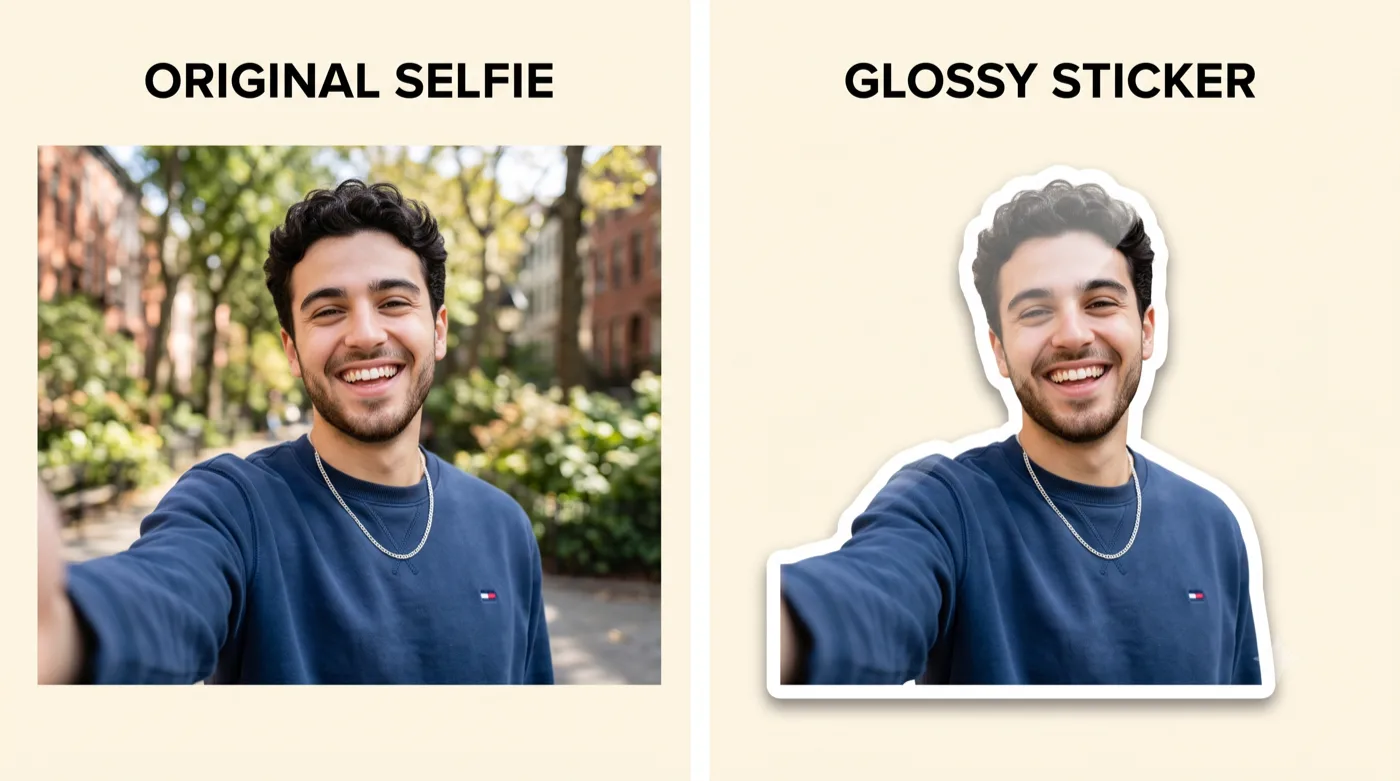
AI-generated example — your own photo produces your own result.
How it works
Three steps to your sticker
Pick your best selfie
Choose a sharp, front-camera selfie with even light on your face and a clear expression.
Turn it into a sticker
One pass converts it into a clean cutout with a transparent background and a tidy outline.
Drop it into any chat
Download the PNG and reuse your selfie as a reaction sticker across your messaging apps.
Get the best result
Tips that actually help
For anyone who wants quick, personal reaction stickers made from their own selfies.
Hold steady, get sharp
A sharp, in-focus selfie cuts out far better than a motion-blurred one. Brace your elbow or use a timer.
Front camera, good light
Face a window rather than shooting with a bright light behind you, which turns your face into a silhouette.
Leave room around your head
Don’t crop too tight — a little space around your hair gives the cutout room to breathe.
One clear expression
A distinct expression (big smile, surprised, thumbs up) makes a more useful reaction sticker.
Export & format
Download a transparent-background PNG at high resolution — perfect for sticker packs across messaging apps.
Good to know
Questions about this use case
What makes a good selfie for this?
Sharp focus, even light on your face, and a background that contrasts with your hair and clothes. Those three things drive the cutout quality.
Can I make several at once?
Upload different selfies or apply different styles to build a small pack of reactions.
Is it free to try?
Yes — sign in with Google and your new account gets one free sticker (watermarked) to try before you decide to subscribe. See the homepage for plan details.
Ready to try it with your photo?
Sign in with Google and create your first sticker free — one clear photo is all you need to get started.
Related guides